
Online Appointment Scheduling in Patientree
Configure calendars, embed online booking, send AI-assisted reminders, and reduce no-shows in Patientree.
In the Patientree app
/dashboard/appointments/dashboard/reminders/embed/calendar/:clinicId
Overview
Scheduling in Patientree spans staff calendars, public embed booking, reminders, and AI-assisted appointment intelligence.
Step 1 — Staff calendar setup
- Open Appointments (
/dashboard/appointments). - Use table, calendar, or “today” views depending on front-desk workflow.
- Create appointments with Appointment Form — set provider, visit type, duration, and location.
- Drag-and-drop on the calendar to reschedule when enabled.
Step 2 — Enable online booking
Patient-facing booking uses the embed calendar:
- Route pattern:
/embed/calendar/:clinicId - Embed on your clinic website or the site from the $0 AI Clinic Launch.
Test the full flow: book → confirmation → reminder → check-in.
Step 3 — Configure reminders
- Go to Reminders (
/dashboard/reminders). - Set SMS/email templates and timing (e.g., 48h and 2h before visit).
- Align message tone with your clinic brand — personalized reminders outperform generic blasts.
Estimate no-show cost with the no-show calculator.
Step 4 — Appointment intelligence (AI)
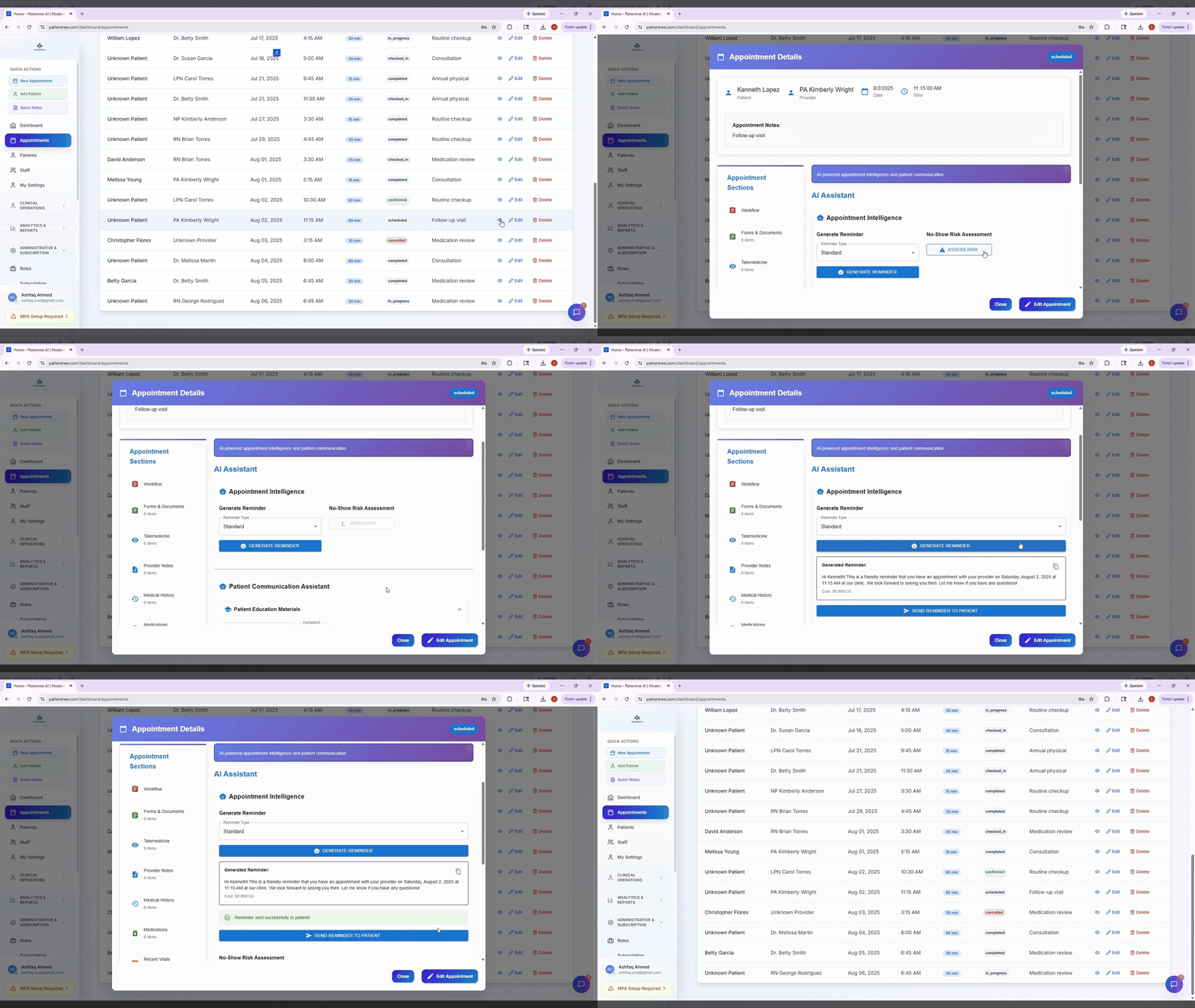
From an appointment’s detail modal, open the Appointment Intelligence panel to:
- Generate personalized reminder copy
- Assess no-show risk
- Suggest follow-up messaging
Staff approve messages before they send — AI drafts, humans control.
Step 5 — Workflow tracker for complex visits
For multi-step visits (labs, forms, telemedicine), open Workflow (/workflow/:appointmentId) to track completion of vitals, forms, notes, and billing prep.
Metrics to watch
| Metric | Target action |
|---|---|
| No-show rate | Tune reminder timing; enable self-reschedule |
| Same-day cancellations | Maintain waitlist/backfill process |
| Online booking share | Promote embed link on website and Google profile |
FAQ
Does Patientree sync with Google Calendar?
Integrations are available from the dashboard integrations area — configure per clinic.
Where is AI scheduling on the marketing site?
See AI patient scheduling.